Author: Tina Dornbaum

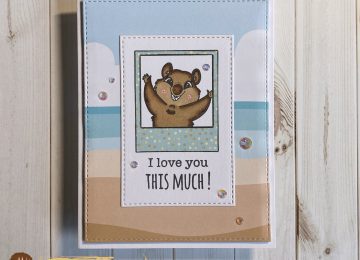
  • I Love ‘Roo Card

    I Love ‘Roo Card

    Hi Everyone, it’s Tina here. Happy New Year! I want to wish you all the best for a healthy and prosperous year ahead. Now that the holidays are over we look forward to Valentine’s Day. I decided to make a card using the Hoppy For You Stamp set to create a card for my Mother. Below are the steps to create your own card.

    Step 1 – Trim White Cardstock to 8 1/2” x 5 1/2”, score at 4 1/4” and fold in half for a vertical side fold card. (A2)

    Step 2 – Create a background. Trim White Cardstock to 5 1/2” x 4 1/4”. Apply Ink of your choice in red tones. I used Altenew Tea Party Inks. I applied Pink Pearl to the entire panel using a Life Changing Brush and then layered Coral Bliss, Heart Beat and Vineyard Berry. (You can substitute the inks with Distress Oxide Inks Spun Sugar, Barn Door, Fired Brick and Aged Mahogany.) Using my Scan ‘N’ Cut I created a Dot Stencil. I placed it over the panel and applied Distress Oxide Black Soot with a foam applicator. If you don’t have a dot stencil or stamp I have linked at the end of the post an alternative. Optional – If you have a word background die stamp it over the panel using a White Pigment Ink.

    Step 3 – Diecut Double Stitched Rectangles using the panel created from Step 2. I diecut twice. Once using the largest die and second time using the second to last size. Adhere the outer diecut, Black Cardstock trimmed to 3 7/8” x 4 7/8” and the inner panel using Nuvo Deluxe Adhesive.

    Step 4 – Diecut Stitched Scalloped Heart using Black Cardstock. Trim off part of the right side and adhere to card using Nuvo Deluxe Adhesive.

    Step 5 – Stamp Hoppy For You images using Gina K Amalgam Ink. This is an alcohol friendly ink. Colour in the images. I used Spectrum Noir Illustrator Markers. Fussy cut the images and adhere to card using Nuvo Deluxe Adhesive for the Mama Roo and Foam Tape for the Baby Roo.

    Step 6 – Stamp Hoppy For You sentiment using Versafine Clair Nocturne Ink on White Cardstock. Trim out the sentiment and adhere to card using Nuvo Deluxe Adhesive.

    This can can be used for many occasions by changing the colours, sentiment and design. Below is a link to all the products used. Thank you for stopping by and have a wonderful day.

    Products Used:


    https://linkdeli.com/widget.js?1559654439292

  • Glitter Christmas Tree Card

    Glitter Christmas Tree Card

    Hi Everyone, it’s Tina here. I have one last Holiday card to share with you using the Christmas Tree Coverplate die with a fun technique. Below are the steps to create your own Holiday card.

    Step 1 – Trim White Cardstock to 8 1/2′ x 5 1/2″, score at 4 1/4″ and fold in half for a vertical side fold card. (A2)

    Step 2 – Diecut Christmas Tree Coverplate using White Cardstock (x3). Adhere all 3 layers together using Nuvo Deluxe Adhesive. Trace the outline of the Tree on Metallic Kraft Cardstock. Trim it out adhere to the bottom of the Christmas Tree diecuts. Adhere the entire panel to the card front using Nuvo Deluxe Adhesive. (If you don’t want to fussy cut you could always trim the Metallic Kraft Cardstock to cover the entire diecut.)

    Step 3 – Apply Nuvo Crystal Drops Morning Dew inside of the Tree only. While it is still wet sprinkle Glitter Powder. This will allow the glitter to stick to the Crystal Drops. Let dry.

    Step 4 – Diecut Merry Christmas With Shadow Die (only the word Merry) using Metallic Kraft Cardstock. Adhere to the card using Nuvo Deluxe Adhesive.

    Step 5 – For added interest and sparkle adhere White Diamond Sequins on the areas that has a ornament using a Crystal Katana and Collage Medium.

    There is a 30% off sale going on (no code needed) ending December 31st to be able to get all Christmas, Hannakah, Halloween and Thanksgiving Categories. Below is a link to all the products used. Thank you for stopping by and wishing you all a very Happy Near Year!

    Products Used:

    https://linkdeli.com/widget.js?1559654439292

  • Ornament Strip Cards

    Ornament Strip Cards

    Hi Everyone, it’s Tina here. Whether you want a clean and simple card or more the Ornament Strip Coverplate die has you covered. Below you will see two totally different looks using this die.

    Full Card

    Step 1 – Trim White Cardstock to 8 1/2″ x 5 1/2″, score at 4 1/4″ and fold in half for a vertical side fold card. (A2)

    Step 2 – Diecut Ornament Strip Coverplate 3 times using White Cardstock. Stamp or use a stencil on the left side of the diecut using Versamark. (You only need to do this on the top layer panel only) Sprinkle Gold Embossing Powder and remove the excess. Heat set it with a heat tool. Adhere all 3 layers using Nuvo Deluxe Adhesive with the embossed layer on top.

    Step 3 – Trim Metallic Kraft Cardstock and adhere in back of the ornaments only. (You can adhere the entire right panel if you want.) Apply Crystal Nuvo Drops Morning Dew inside the areas of the ornaments. While wet sprinkle glitter. Let dry.

    Step 4 – Diecut Merry Christmas (only Merry) twice. One using Black Cardstock and the other using Glitter Cardstock.Adhere to card using Nuvo Deluxe Adhesive.

    Step 5 – For added interest and sparkle randomly adhere White Diamond Sequins using a Crystal Katana and Collage Medium.

    Clean And Simple Card

    Step 1 – Trim White Cardstock to 8 1/2″ x 5 1/2″, score at 4 1/4″ and fold in half for a vertical side fold card. (A2)

    Step 2 – Diecut Ornament Stripe Coverplate using Red Mirror Cardstock. Adhere to card using Nuvo Deluxe Adhesive.

    Step 3 – Stamp Merry Critters sentiment using Versamark. Sprinkle White Embossing Powder and remove the excess. Heat set it with a heat tool.

    Step 4 – For added interest and sparkle randomly adhere White Jewels using a Crystal Katana  and collage medium.

    Both looks are elegant but the clean and simple takes little time if you want to mass produce. Just change the colors. Below is a link to all the products used. Thank you for stopping by and have a wonderful day.

    Products Used:


    https://linkdeli.com/widget.js?1559654439292

  • Merry Critters Holiday Card

    Merry Critters Holiday Card

    Hi Everyone, it’s Tina here. The Merry Critters Stamp Set along with the new Merry Christmas with Shadow Die is a wonderful combination to create this Holiday card. Below you will find the steps to create your own card.

    Step 1 – Trim White Cardstock to 8 1/2″ x 5 1/2″, score at 4 1/4″ and fold in half for a vertical side fold card. (A2)

    Step 2 – Trim White Cardstock to 5 1/2″ x 4 1/4″. Apply Distress Oxide Ink Tumbled Glass to the entire panel. Apply Distress Oxide Shabby Shutters to the edges. Add White Acrylic using a waterbrush by tapping the brush to create splatters. Let dry. Adhere to card using Nuvo Deluxe Adhesive.

    Step 3 – Diecut Crafters Essentials Winter (the hillside dies) using White Cardstock. Adhere to card using Nuvo Deluxe Adhesive to the bottom diecut and Foam Tape to the top diecut.

    Step 4 – Stamp Merry Critters using Gina K Amalgam Ink. Colour in images using color medium of your choice. I used Spectrum Noir Markers. Fussy cut the images and adhere to card using Nuvo Deluxe Adhesive.

    Step 5 – Diecut Merry Christmas with Shadow (only using the word Merry) 3 times. The top layer using Metallic Kraft Paper and 2 White Cardstock. Glue the layers together and adhere to card using Nuvo Deluxe Adhesive.

    Step 6 – Stamp Christmas sentiment using Versamark onto a scrap piece of coloured cardstock. Sprinkle White Embossing Powder and remove the excess. Heat set it with a heat tool.

    I hope you enjoyed this holiday card. You can change it up by changing the colours and the order of the images. Below is a link to all the products useed. Thank you for stopping by and have a wonderful day.

    Products Used:

    https://linkdeli.com/widget.js?1559654439292

  • Snowman Holiday Card

    Snowman Holiday Card

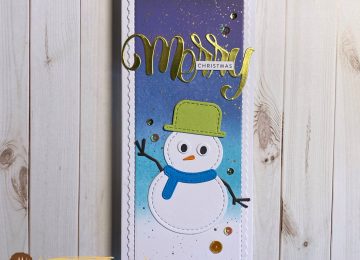
    Hi Everyone, it’s Tina here. Today’s card is using some older but super fun dies to create a holiday scene. Below you will find the steps to create your own Holiday Card.

    Step 1 – Trim White Cardstock to 8 1/2″ x 5 1/2″, score at 4 1/4″ and fold in half for a vertical side fold card. (A2)

    Step 2 – Trim Light Blue Cardstock 5 1/2″ x 4 1/4″ (if you don’t have coloured cardstock then use White and Ink in colour of your choice). Use a snow stencil to create a snowy background using texture paste. Before it drys sprinkle some glitter. If you don’t have a stencil you can add white paint by splashing it on with a paintbrush. When completely dry adhere to card front using Nuvo Deluxe Adhesive.

    Step 3 – Diecut Stitched Scalloped Border dies using White Cardstock. I diecut twice and changed the position on the second diecut. Adhere to card using Nuvo Deluxe Adhesive.

    Step 4 – Diecut Stitched and Layered Snowman. I used White Cardstock for base, Red and Black for the hat, Black for the eyes, Brown for the arms, orange for the nose and a DIY Plaid for the scarf. Assemble using Nuvo Deluxe Adhesive and adhere to card using Foam Tape. For the button I used 2 Red Jewels and adhered it using Collage Medium and a Crystal Katana.

    Step 5 – Diecut Stitched and Layered Christmas Tree. I used Green Cardstock for the tree, Glitter cardstock in various colours for the ornaments and bows, and Brown Cardstock for the tree stump. Assemble and adhere to card using Nuvo Deluxe Adhesive.

    Step 6 – Diecut Merry from the Merry Christmas With Shadow dieset using Glitter Cardstock and an additional 2 diecuts using White Cardstock. Assemble all layers with the Glitter Cardstock on top and adhere to card using Nuvo Deluxe Adhesive.

    Step 7 – Optional – Stamp Christmas using Versafine Onyx Black Ink on White Cardstock. Trim and adhere to card over the word Merry using Nuvo Deluxe Adhesive.

    You can change the card to add a second snowman or change the colours when mass producing. Between now and Dec. 3 use code: SANTA2019 at checkout to receive 20% off sitewide (this excludes Gina Marie Designs. Below is a link to all the products used. Thank you for stopping by and have a wonderful day.

    Products Used:

    https://linkdeli.com/widget.js?1559654439292

  • Large Sentiments On Busy Backgrounds

    Large Sentiments On Busy Backgrounds

    Hi Everyone, it’s Tina here. Today I have several cards to share with you using the new large holiday sentiments dies. I get asked frequently what do you do with a busy background. Sometimes I don’t want to cover my background so I add a sentiment that way you still see the gorgeous background. Below you will see examples.

    Card #1

    Card #2

    Card #3

    Card #1

    Step 1 – Trim White Cardstock to 8 1/2″ x 5 1/2″, score at 4 1/4″ and fold in half for a vertical side fold card. (A2)

    Step 2 – Trim White Cardstock to 5 1/2″ x 4 1/4″. Apply Distress Oxide Ink Chipped Sapphire using an ink applicator. Let dry.

    Step 3 – Stamp background image of your choice using Versamark. Sprinkle Silver Embossing Powder, remove the excess. Heat set it with a heat tool.

    Step 4 – Diecut Double Stitched Rectangles using the background from Step 3. Adhere to card using Nuvo Deluxe Adhesive.

    Step 5 – Diecut Happy Hanukkah (White Cardstock for the Shadow and Imperial Blue Mirror Cardstock for the Words) Assemble and adhere to card using Nuvo Deluxe Adhesive.

    Step 6 – Optional – Stamp and colour a Menorah, fussy cut it and adhere to card using Nuvo Deluxe Adhesive.

    Card #2

    Step 1 – Trim Grey Cardstock to 8 1/2″ x 5 1/2″, score at 4 1/4″ and fold in half for a vertical side fold card. (A2)

    Step 2 – Trim Blue Cardstock to 5 1/2″ x 4 1/4″. Use a stencil with Ink to create a background. (I created the Star of David stencil using Corel and converting it to cut on my Scan N Cut – I used Distress Oxide Chipped Sapphire)

    Step 3 – Diecut Double Stitched Rectangles using the background from Step 2. Adhere to card using Nuvo Deluxe Adhesive.

    Step 4 – Diecut Happy Hanukkah (White Cardstock for the Shadow and Blue Cardstock for the Words) Assemble and adhere to card using Nuvo Deluxe Adhesive

    Step 5 – Optional – For some added sparkle randomly adhere Blue Jewels using a Crystal Katana and collage medium.

    Card #3

    Step 1 – Trim White Cardstock to 8 1/2″ x 5 1/2″, score at 4 1/4″ and fold in half for a horizontal side fold card. (A2)

    Step 2 – Trim White Cardstock to 5 1/2″ x 4 1/4″. Place a Holiday Stencil on the cardstock and apply ink. I used Distress Oxide Twisted Citron and Pine Needles.

    Step 3 – Diecut Double Stitched Rectangles using the background from Step 2. Adhere to card using Nuvo Deluxe Adhesive.

    Step 4 – Diecut Merry Christmas (Green Cardstock for the Shadow (or ink on White Cardstock the colours used on the background) and Gold Metallic Cardstock for the Words) Assemble and adhere to card using Nuvo Deluxe Adhesive.

    Below are closeups of all 3 cards.

    This technique works for any occasion. Use your background stamps or stencils with Big Bold sentiments. Below is a link to all the products used. Thank you for stopping by and have a wonderful day.

    Products Used:

    https://linkdeli.com/widget.js?1559654439292

  • A Classic Holiday Card

    A Classic Holiday Card

    Hi Everyone, It’s Tina here. By now you have seen the new Holiday release. Today’s card is featuring the Christmas Tree Coverplate die. I decided to use it in a different way. Below you will find the steps to create your own card.

    Step 1 – Trim White Cardstock to 8 1/2” x 5 1/2”, score at 4 1/4” and fold in half for a vertical side fold card (A2)

    Step 2 – Trim Red Metallic Cardstock to 5 1/2” x 4 1/4”. Adhere to card using Nuvo Deluxe Adhesive.

    Step 3 – Trim Gold Metallic Mirror Cardstock to 5 1/2” x 4”. Adhere to card using Nuvo Deluxe Adhesive.

    Step 4 – Trim Red Metallic Cardstock to 5 1/2″ x 4 1/4″. Using any foil press machine you have trim foil paper to the size of the Christmas Tree Coverplate. Using the sandwich that your machine advises foil the Christmas Tree Coverplate onto Red Metallic Paper with Gold Foil. Trim Cardstock and adhere to card using Nuvo Deluxe Adhesive.

    Step 5 – Diecut Merry Christmas With Shadow Die (on the word Merry) x 3. Two scratch piece of cardstock and one Gold Metallic cardstock. Adhere all 3 using Collage Medium with the Gold on top. Adhere to card using Collage Medium.

    Step 6 – Stamp Merry Critters sentiment using Versamark on Red Metallic Cardstock. Sprinkle Gold Embossing Powder and remove the excess. Heat set it with a heat tool. Trim and adhere to card using Collage Medium.

    If you don’t have a Foil Press Machine you can the Christmas Tree Coverplate as a stencil with Deco Foil Transfer Gel onto Red Metallic Cardstock. Let it dry and apply Gold Foil. Pass it through a Laminator and remove the Gold Foil.

    Below is a link to all the products used. Thank you for stopping by and have a wonderful day.

    Products Used:

    https://linkdeli.com/widget.js?1559654439292

  • Snow Globe Shaker Card

    Snow Globe Shaker Card

    Hi Everyone, it’s Tina here. Do you struggle with Shaker Cards? Kat Scrappiness now has Shaker Card Kits. These kits take the guess work out of making shaker cards. It comes with everything except the filler to create a fun shaker card. For my card today I used the Snowglobe Shaker Card Kit #058. Below you will find the steps to create your own card.

    Step 1 – Trim White Cardstock to 8 1/2″ x 5 1/2″, score at 4 1/4″ and fold in half for a horizontal side fold card. (A2)

    Step 2 – Trim Patterned Paper to 5 1/2″ x 4 1/4″ and adhere to card front using Nuvo Deluxe Adhesive. The Patterned Paper I used is no longer in print but I linked to a set that would go well with the sequins and sprinkles I used.

    Step 3 – Trim a piece of Patterned Paper that will be the background of the shaker. Adhere to card using Nuvo Deluxe Adhesive. Adhere the Foam Shape to the card front on top of the Patterned Paper that was just adhered using Nuvo Deluxe Adhesive. Be sure to let it dry thoroughly before adding the filler.

    Step 4 – Add Falling Snow Sprinkes and Fluffy Clouds Sequins inside of the Foam Shape. Adhere the acetate window on top of the Foam Shape using Nuvo Deluxe Adhesive. Do not shake yet. Let it dry thoroughly. You can place an acrylic block on top.

    Step 5 – Before placing the Decorative Frame Overlay be sure to color in or adhere Patterned Paper. I used a Spectrum Noir Illustrator in Black to the cover. Then used a Wink of Stella Glitter Pen for some added sparkle. Once it is dry and to the shaker using Nuvo Deluxe Adhesive. Once again let dry thoroughly.

    Step 6 – Add a sentiment to the front. My sentiment for from the Patterned Paper set I used as well as the bird. I trimmed and adhered it to the card using Nuvo Deluxe Adhesive.

    There are many shaker card kits to choose from and it covers any occasion. Below is a link to all the products used. Thank you for stopping by and have a wonderful day.

    Products Used:


    https://linkdeli.com/widget.js?1559654439292

  • Give Thanks Wreath Card

    Give Thanks Wreath Card

    Hi Everyone, it’s Tina here. Today’s card I used the new Give Thanks Wreath die with a simple Distress Oxide Background. Below you will find the steps to create your own card.

    Step 1 – Trim White Cardstock to 8 1/2″ x 5 1/2″, score at 4 1/4″ and fold in half for a vertical side fold card.

    Step 2 – Trim White Cardstock to 5 1/2″ x 4 1/4″. Apply Distress Oxide ink using an ink applicator. Starting with the lightest color work it into a circle and build the colors out. I used Wild Honey, Ripe Persimmon, Fired Brick, Dusty Concord.

    Step 3 – Diecut Wonky Wavy Stitched Rectangles using the background created from Step 2. Adhere to card using Nuvo Deluxe Adhesive.

    Step 4 – Diecut Give Thanks Wreath using Black Cardstock. Adhere to front of card using Collage Medium.

    Step 5 – For added interest randomly adhere Sequins using a Crystal Katana and collage medium.

    There are several ways you can use the Give Thanks Wreath Die. You can change it up by diecuting the Give Thanks Wreath a second time using a different color cardstock and just trim out the sentiment. The sentiment or wreath can also be used alone. Below is a link to all the products used. Thanks for stopping by and have a wonderful day.

    Products Used:

    https://linkdeli.com/widget.js?1559654439292

  • Happy For Coffee

    Happy For Coffee

    Hi Everyone, it’s Tina here. Today’s card is featuring the new Bamboo Backdrop Die and Stewart The Sloth Stamp Set. Below you will find the steps to create your own card.

    Step 1 – Trim White Cardstock to 8 1/2″ x 5 1/2″, score at 4 1/4″ and fold in half fora vertical side fold card. (A2)

    Step 2 – Diecut Bamboo Backdrop 2 times. One using White Cardstock and one using Kraft Cardstock. (I used Neenah Desert Storm) Adhere the white diecut onto the kraft cardstock and off set it slightly. Trim off the excess and adhere to the front of the card using Nuvo Deluxe Adhesive.

    Step 3 – Trim Kraft Cardstock to 5 1/2″ x 4 1/4″. Stamp Stewart The Sloth (leave image) all over using Versafine Clair Pinecone. Let dry.

    Step 4 – Diecut Double Stitched Oval using the background created from Step 3. This will create a window. Adhere to the card using Nuvo Deluxe Adhesive.

    Step 5 – Stamp Stewart The Sloth image using Versafine Onyx Black. Colour in image with any colouring medium. I used the new Tri-Blends from Spectrum Noir. I used Coral, Earth Brown and Tan Blends. Fussy cut out the image and adhere to the bottom of the window using Nuvo Deluxe Adhesive.

    Step 6 – Diecut sentiment and adhere to card using Nuvo Deluxe Adhesive. I didn’t have a small stamp sentiment I wanted so I printed one from my computer. This is a fun way to create your own sentiments. Trim out the sentiment and adhere it to the card using foam tape.

    This card can be used for many occasions by changing the colors and sentiment. Below is a link to all the products used. Thank you for stopping by and have a wonderful day.

    Products Used:

    https://linkdeli.com/widget.js?1559654439292