Tag: Merry Christmas Die with shadow

  • Snowman Holiday Card

    Snowman Holiday Card

    Hi Everyone, it’s Tina here. Today’s card is using some older but super fun dies to create a holiday scene. Below you will find the steps to create your own Holiday Card.

    Step 1 – Trim White Cardstock to 8 1/2″ x 5 1/2″, score at 4 1/4″ and fold in half for a vertical side fold card. (A2)

    Step 2 – Trim Light Blue Cardstock 5 1/2″ x 4 1/4″ (if you don’t have coloured cardstock then use White and Ink in colour of your choice). Use a snow stencil to create a snowy background using texture paste. Before it drys sprinkle some glitter. If you don’t have a stencil you can add white paint by splashing it on with a paintbrush. When completely dry adhere to card front using Nuvo Deluxe Adhesive.

    Step 3 – Diecut Stitched Scalloped Border dies using White Cardstock. I diecut twice and changed the position on the second diecut. Adhere to card using Nuvo Deluxe Adhesive.

    Step 4 – Diecut Stitched and Layered Snowman. I used White Cardstock for base, Red and Black for the hat, Black for the eyes, Brown for the arms, orange for the nose and a DIY Plaid for the scarf. Assemble using Nuvo Deluxe Adhesive and adhere to card using Foam Tape. For the button I used 2 Red Jewels and adhered it using Collage Medium and a Crystal Katana.

    Step 5 – Diecut Stitched and Layered Christmas Tree. I used Green Cardstock for the tree, Glitter cardstock in various colours for the ornaments and bows, and Brown Cardstock for the tree stump. Assemble and adhere to card using Nuvo Deluxe Adhesive.

    Step 6 – Diecut Merry from the Merry Christmas With Shadow dieset using Glitter Cardstock and an additional 2 diecuts using White Cardstock. Assemble all layers with the Glitter Cardstock on top and adhere to card using Nuvo Deluxe Adhesive.

    Step 7 – Optional – Stamp Christmas using Versafine Onyx Black Ink on White Cardstock. Trim and adhere to card over the word Merry using Nuvo Deluxe Adhesive.

    You can change the card to add a second snowman or change the colours when mass producing. Between now and Dec. 3 use code: SANTA2019 at checkout to receive 20% off sitewide (this excludes Gina Marie Designs. Below is a link to all the products used. Thank you for stopping by and have a wonderful day.

    Products Used:
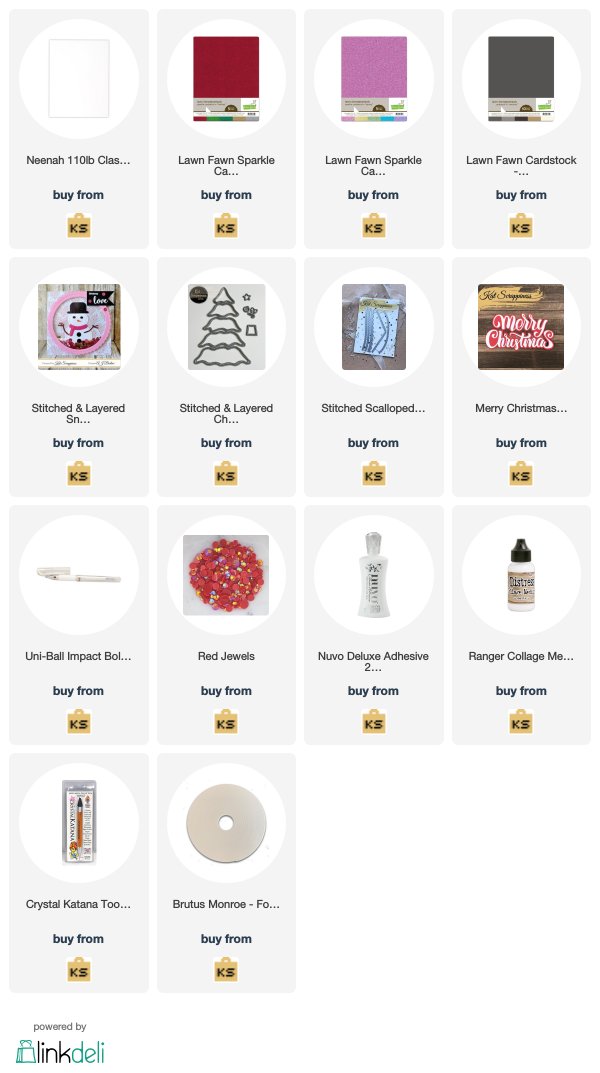
    https://linkdeli.com/widget.js?1559654439292
  • Large Sentiments On Busy Backgrounds

    Large Sentiments On Busy Backgrounds

    Hi Everyone, it’s Tina here. Today I have several cards to share with you using the new large holiday sentiments dies. I get asked frequently what do you do with a busy background. Sometimes I don’t want to cover my background so I add a sentiment that way you still see the gorgeous background. Below you will see examples.

    Card #1

    Card #2

    Card #3

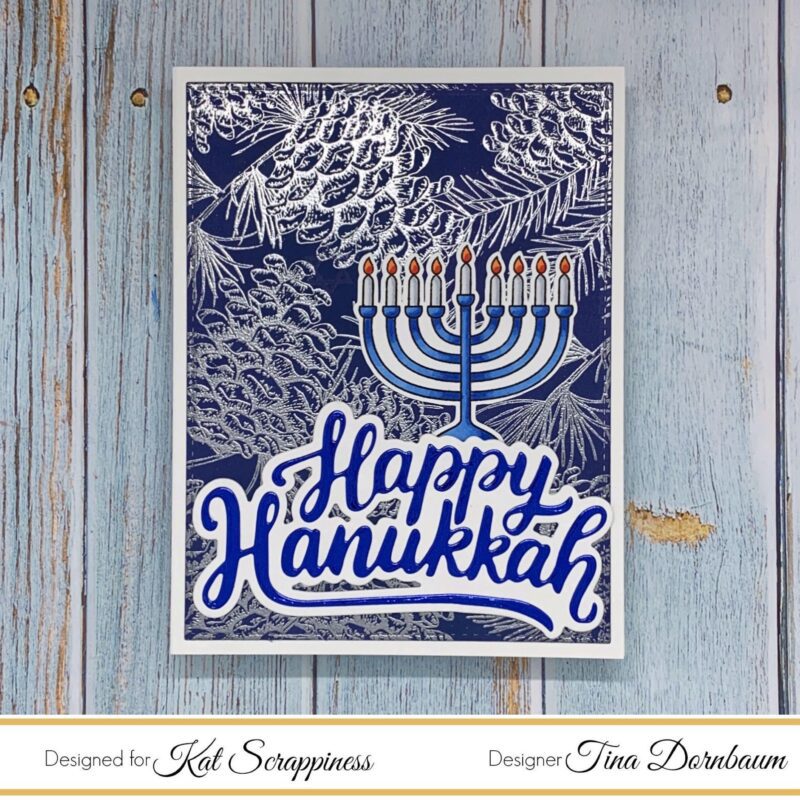
    Card #1

    Step 1 – Trim White Cardstock to 8 1/2″ x 5 1/2″, score at 4 1/4″ and fold in half for a vertical side fold card. (A2)

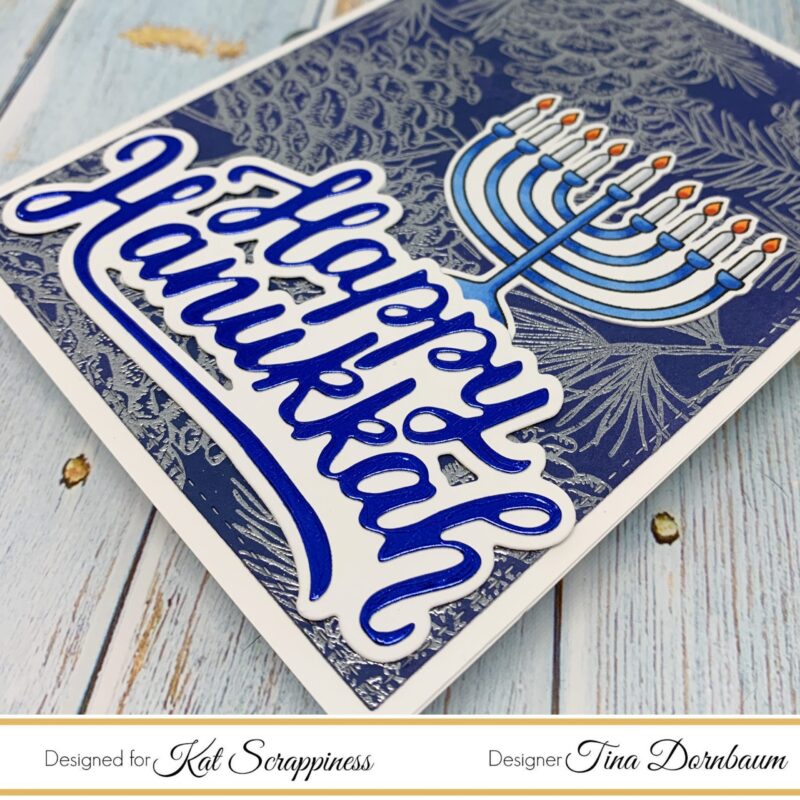
    Step 2 – Trim White Cardstock to 5 1/2″ x 4 1/4″. Apply Distress Oxide Ink Chipped Sapphire using an ink applicator. Let dry.

    Step 3 – Stamp background image of your choice using Versamark. Sprinkle Silver Embossing Powder, remove the excess. Heat set it with a heat tool.

    Step 4 – Diecut Double Stitched Rectangles using the background from Step 3. Adhere to card using Nuvo Deluxe Adhesive.

    Step 5 – Diecut Happy Hanukkah (White Cardstock for the Shadow and Imperial Blue Mirror Cardstock for the Words) Assemble and adhere to card using Nuvo Deluxe Adhesive.

    Step 6 – Optional – Stamp and colour a Menorah, fussy cut it and adhere to card using Nuvo Deluxe Adhesive.

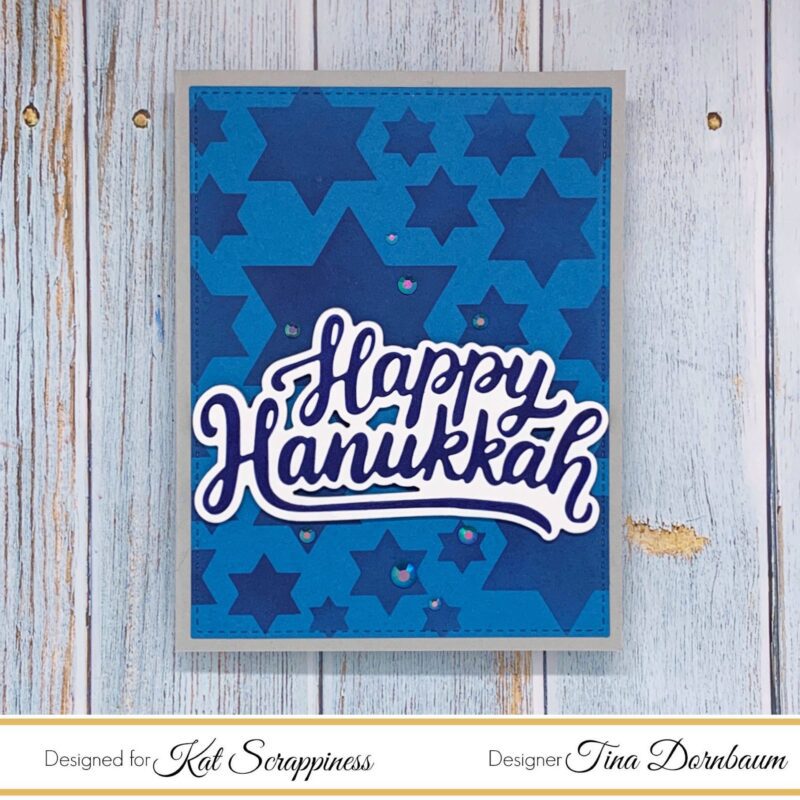
    Card #2

    Step 1 – Trim Grey Cardstock to 8 1/2″ x 5 1/2″, score at 4 1/4″ and fold in half for a vertical side fold card. (A2)

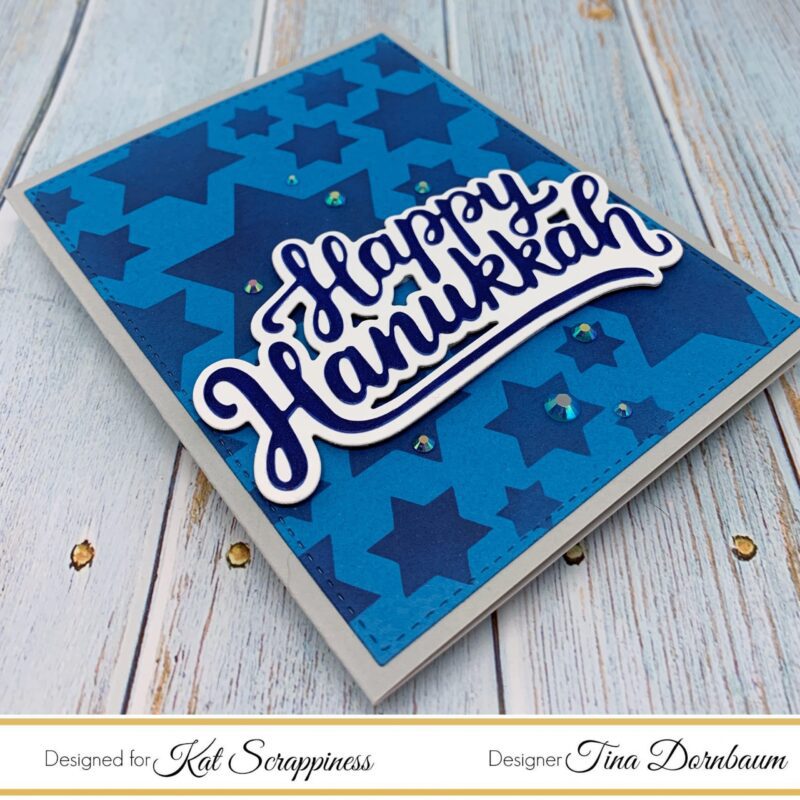
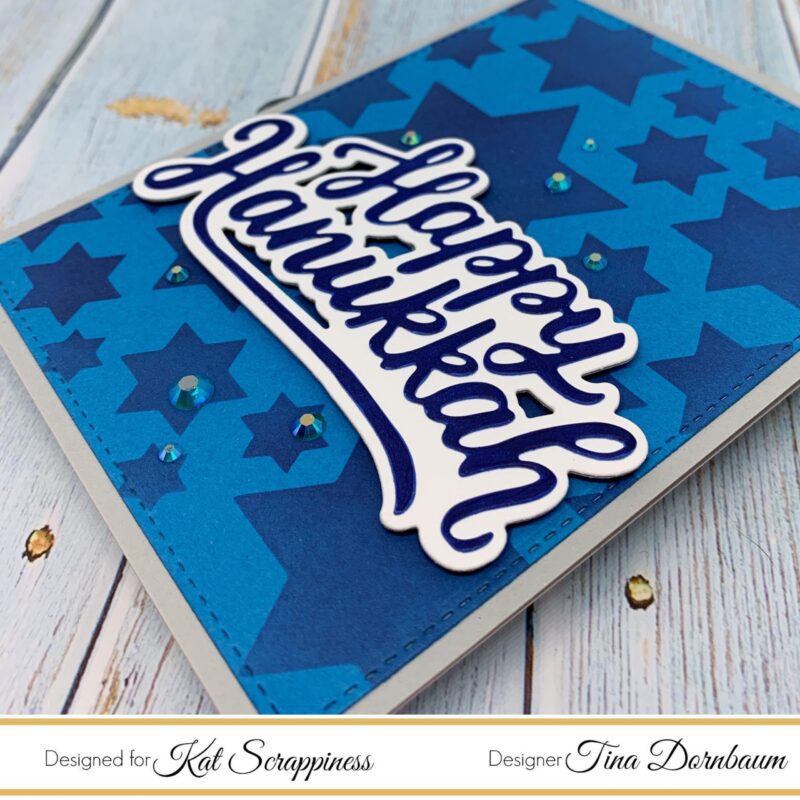
    Step 2 – Trim Blue Cardstock to 5 1/2″ x 4 1/4″. Use a stencil with Ink to create a background. (I created the Star of David stencil using Corel and converting it to cut on my Scan N Cut – I used Distress Oxide Chipped Sapphire)

    Step 3 – Diecut Double Stitched Rectangles using the background from Step 2. Adhere to card using Nuvo Deluxe Adhesive.

    Step 4 – Diecut Happy Hanukkah (White Cardstock for the Shadow and Blue Cardstock for the Words) Assemble and adhere to card using Nuvo Deluxe Adhesive

    Step 5 – Optional – For some added sparkle randomly adhere Blue Jewels using a Crystal Katana and collage medium.

    Card #3

    Step 1 – Trim White Cardstock to 8 1/2″ x 5 1/2″, score at 4 1/4″ and fold in half for a horizontal side fold card. (A2)

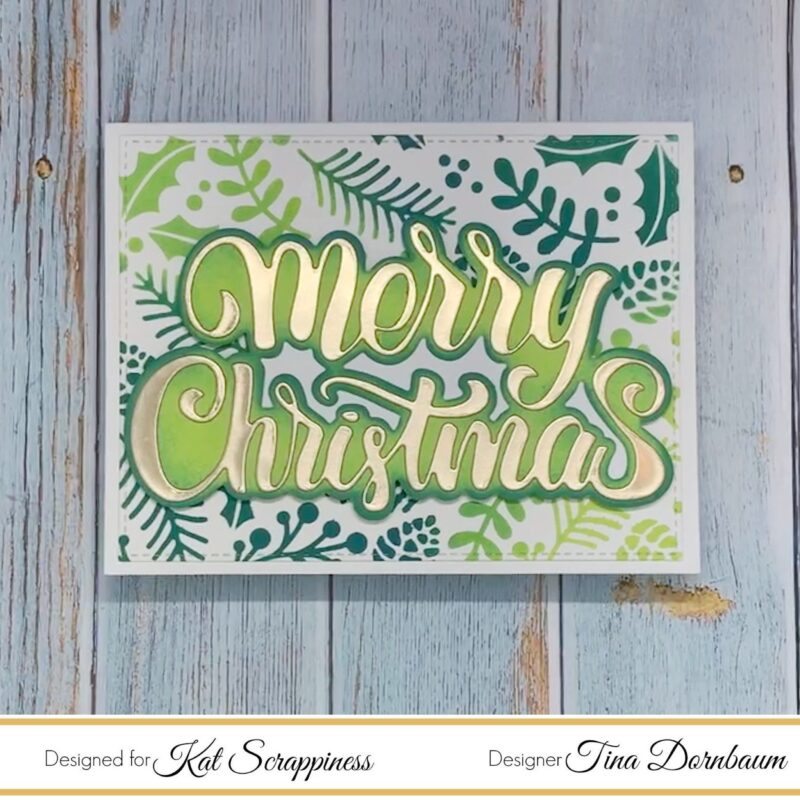
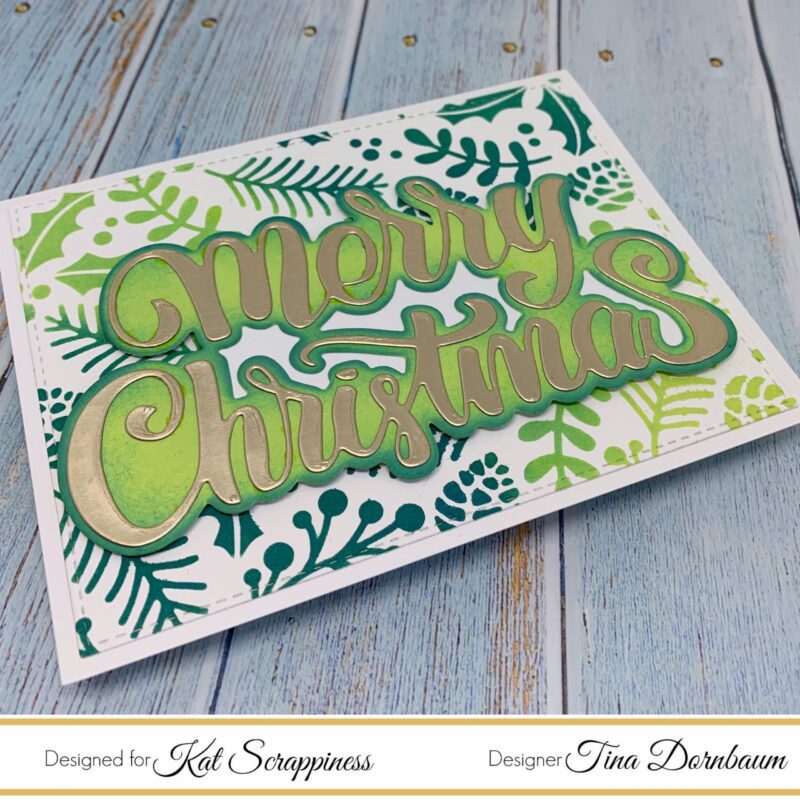
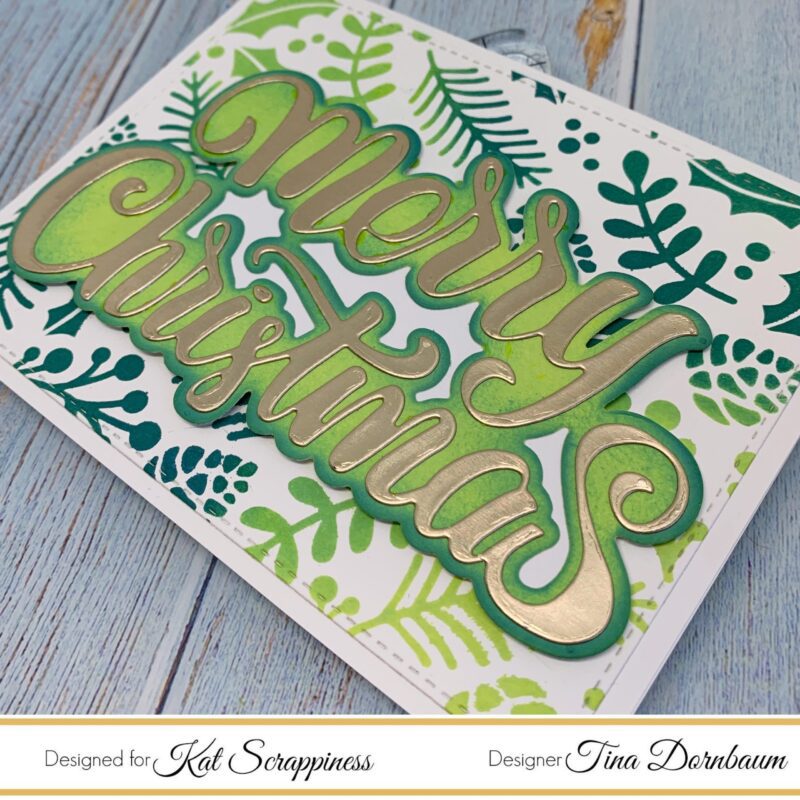
    Step 2 – Trim White Cardstock to 5 1/2″ x 4 1/4″. Place a Holiday Stencil on the cardstock and apply ink. I used Distress Oxide Twisted Citron and Pine Needles.

    Step 3 – Diecut Double Stitched Rectangles using the background from Step 2. Adhere to card using Nuvo Deluxe Adhesive.

    Step 4 – Diecut Merry Christmas (Green Cardstock for the Shadow (or ink on White Cardstock the colours used on the background) and Gold Metallic Cardstock for the Words) Assemble and adhere to card using Nuvo Deluxe Adhesive.

    Below are closeups of all 3 cards.

    This technique works for any occasion. Use your background stamps or stencils with Big Bold sentiments. Below is a link to all the products used. Thank you for stopping by and have a wonderful day.

    Products Used:

    https://linkdeli.com/widget.js?1559654439292
  • Modern Christmas by Martha Lucia

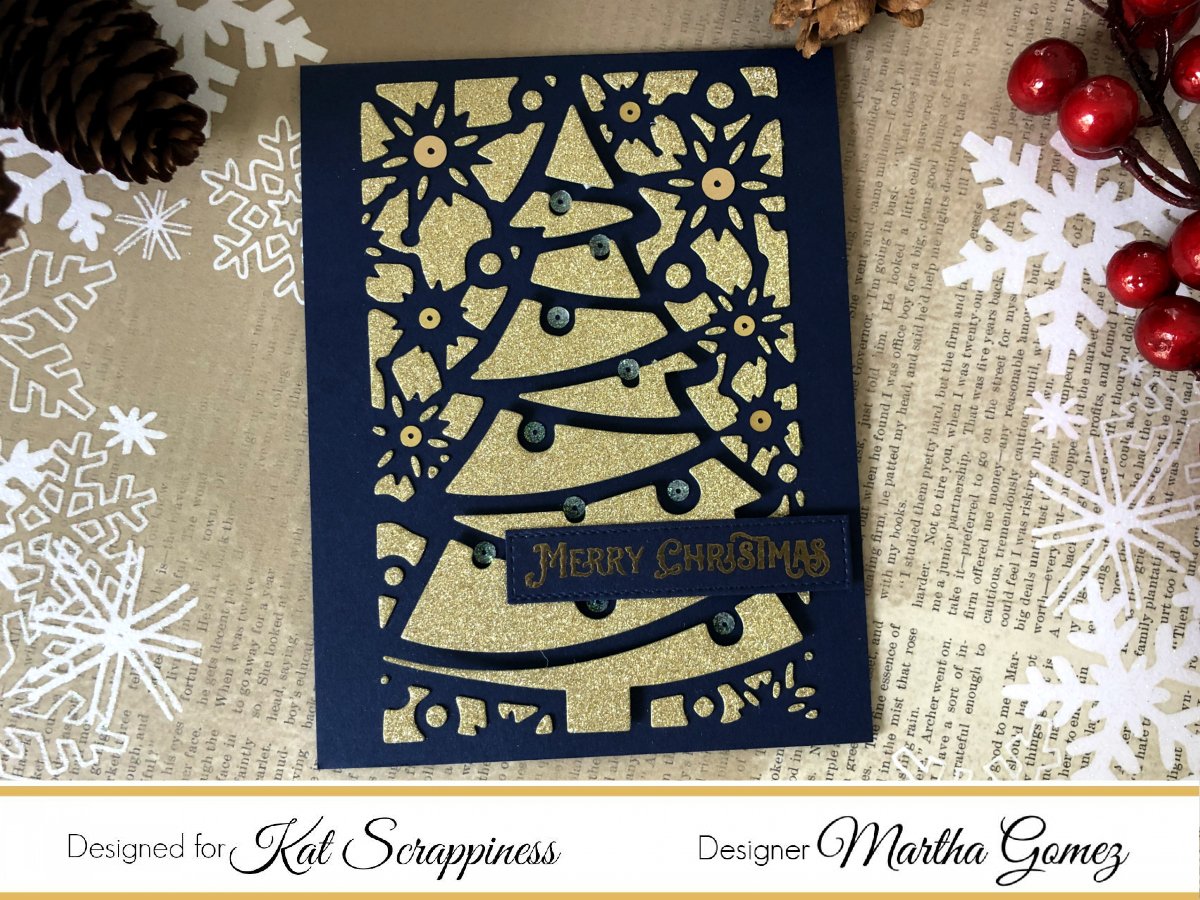
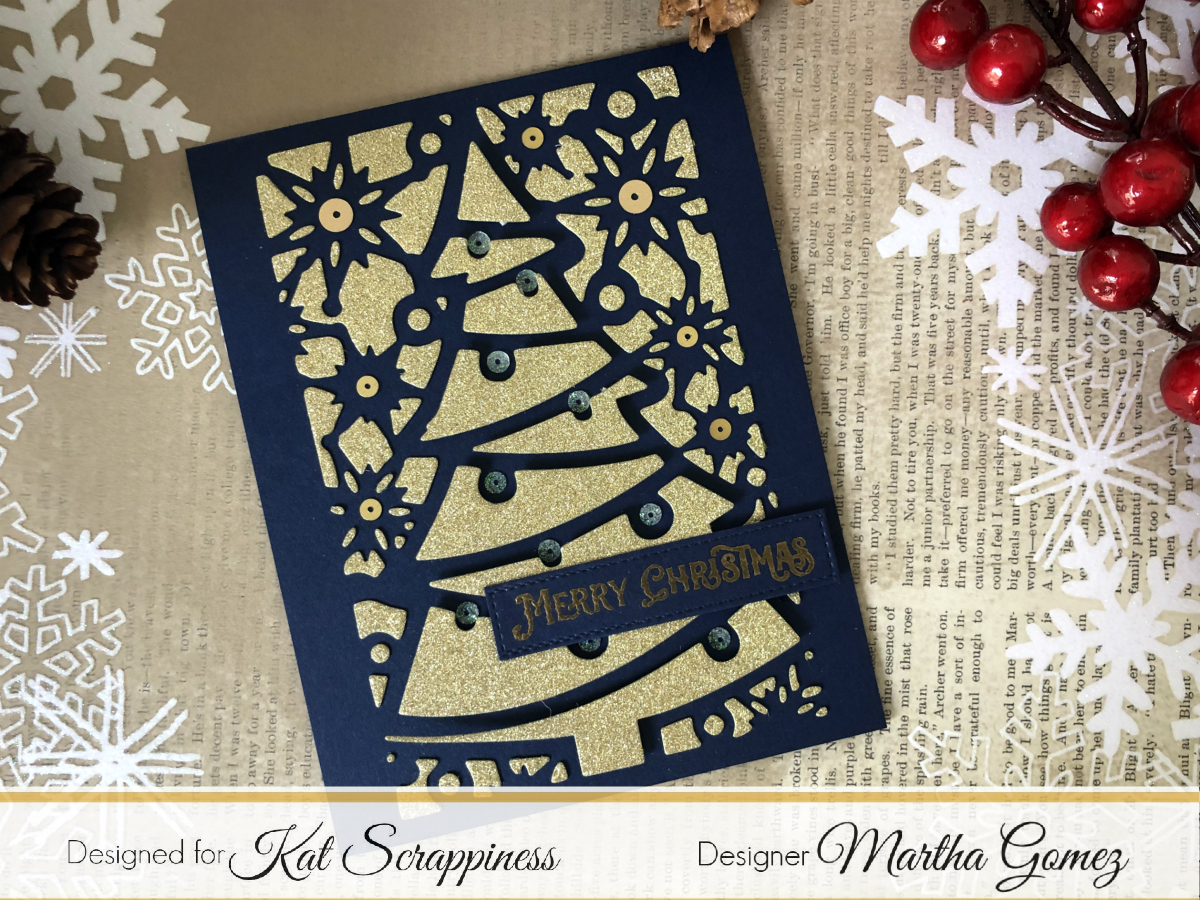
    Hello Kat Scrappiness friends, Martha Lucia here with you! I have two Modern Christmas Cards. My first card was made with the negative pieces of the Christmas Tree Cover Plate. If you want to see the origin of this pieces, you can click here.

    Modern Christmas Cards

    I die cut the Christmas Tree Cover Plate onto Gold Glitter Sheet and before to move the die cut piece from the die, I pasted double sided foam tape over the large pieces and added a dot of glue over the small pieces. I placed the card base over the back side of the die and press it onto the die to transfer all the negative pieces.

    Christmas Cover Plates

    To finalize the card, I added a stamped sentiment and some flat sequins from the Golden Anniversary Sequins and some small greens from the Sparkling Wintergreen Mix, both from the Kat Scrappiness Collection.

    Modern Christmas Cards

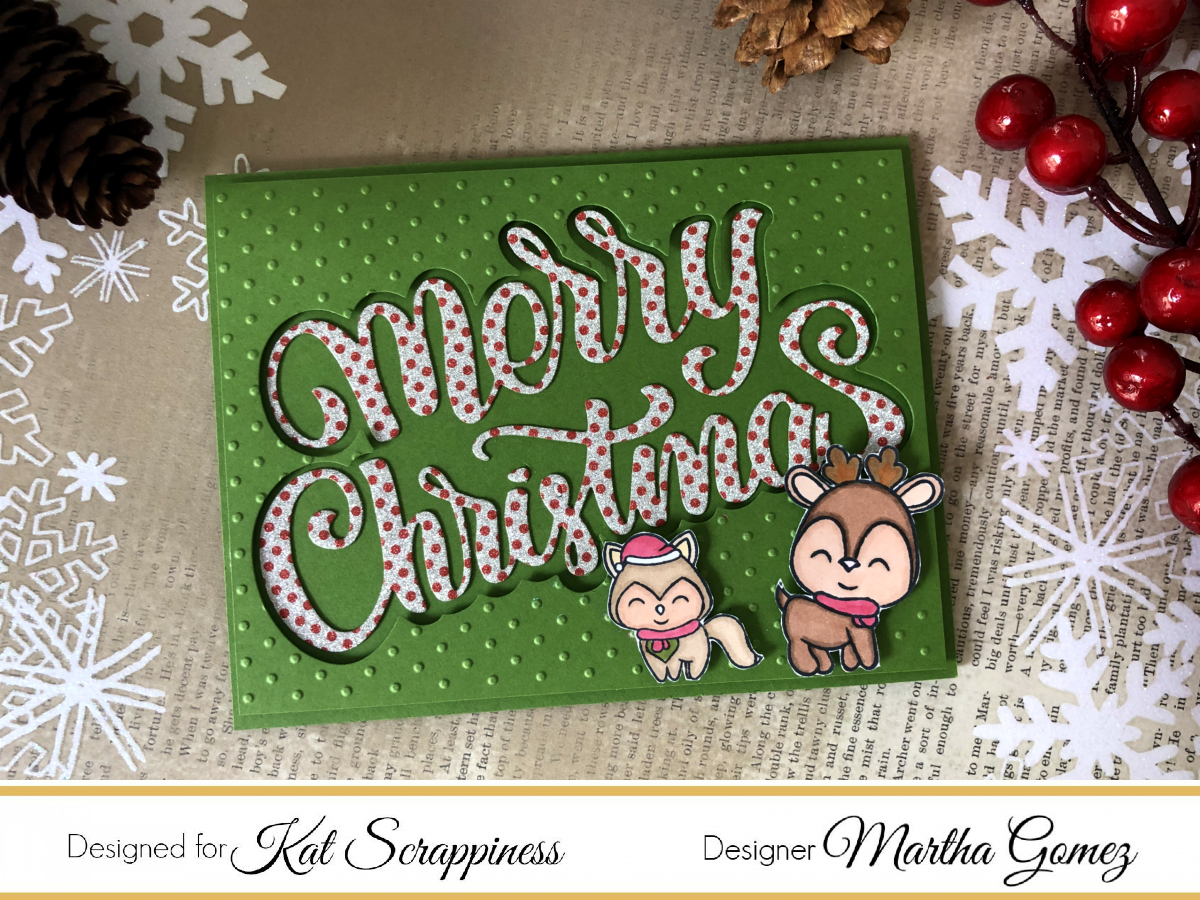
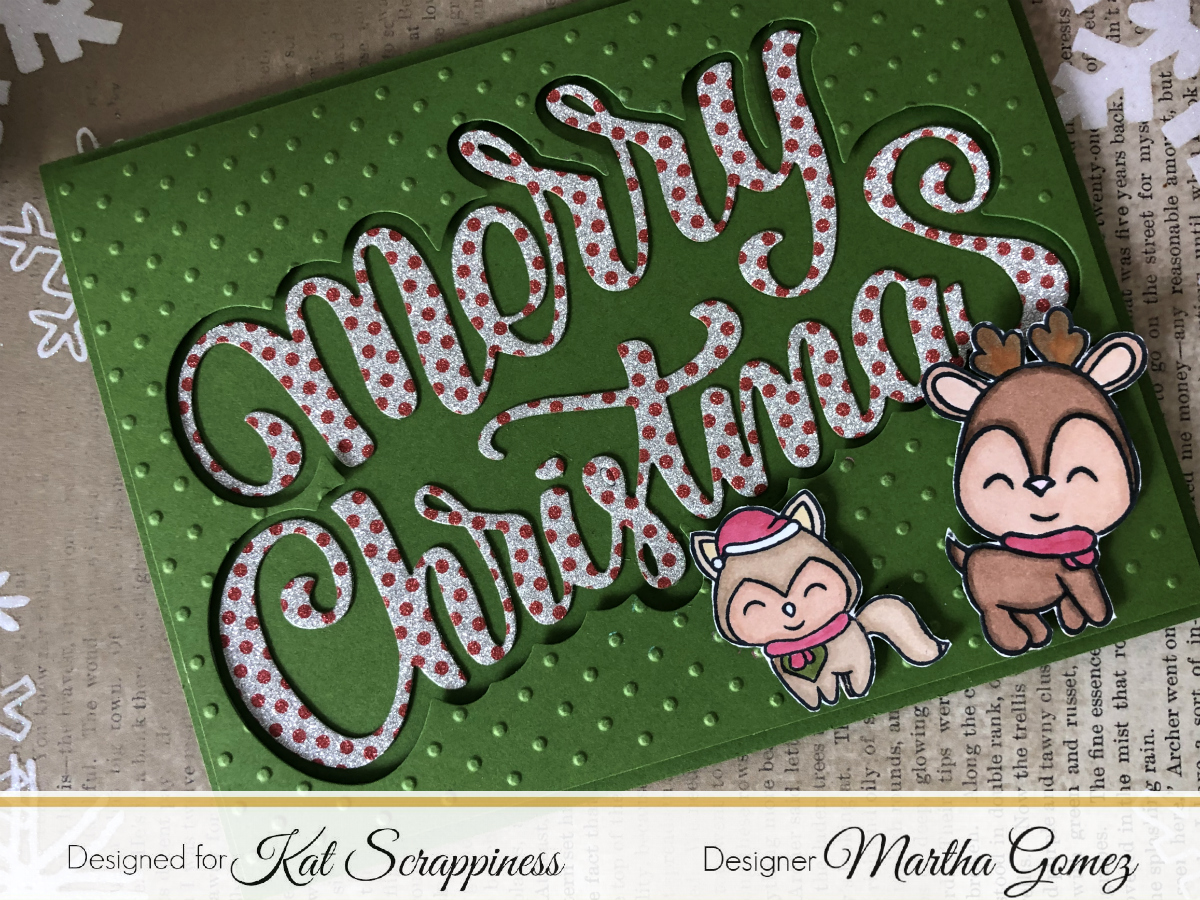
    My next project is a colorful Christmas card that I made using the Merry Christmas Word Sentiment Shadow Die. The card base of my card is Call Me Clover Card stock. I cut a second layer using the same color of card stock and from it, I die cut the Shadow piece of the Merry Christmas Word Sentiment Shadow Die. Then I embossed this layer with a classic dotted embossing folder. I pasted the layer over the card base using double sided foam tape.

    Modern Christmas Cards

    I die cut the Merry Christmas Word using silver dotted glitter from Tim Holz and paste it trough the window created on the top layer. To finalize the card, I just added  two stamped images that I create with the Merry Critters Stamp set from Kat Scrappiness and colored with Spectrum Noir Illustrator Markers.

    Thank you for stopping by and see you soon with more Christmas Inspiration.

  • KS November Release – Day 2 – Merry Christmas & Happy Hanukkah Sentiment Dies

    KS November Release – Day 2 – Merry Christmas & Happy Hanukkah Sentiment Dies

    It’s day 2 of our November release!   Have you seen yesterday’s post?  Which die is your favorite?  For today’s release, we are showcasing  two sentiment with shadow dies – the Merry Christmas with Shadow and the Happy Hanukkah with Shadow.  We also have a GIVEAWAY so please scroll through at the end of this post to find out how you can WIN.


    Are you ready to see the design team makes today?  They are all fabulous!


    ADAM KARLE


    CAREN BARTHOLOMEW


    DAWN SOTO (YT TEAM)


    JO THOMPSON (YT TEAM)


    MARIA RUSSELL


    MARTHA GOMEZ


    MEGHAN KENNIHAN


    PRISCILLA JOSEPH


    TINA DORNBAUM


    Would you like to win the new dies we showcased today?   We will choose TWO winnersOne lucky winner will win the Merry Christmas with shadow die and one lucky winner will win the Happy Hanukkah with shadow die.
    Here’s how to win:
    Leave a comment on this blog post and tell us what project or projects inspired you today.  You have until November 7th to leave a comment.  Winners will be announced on November 8, 2019All winners should send an email to: winners@katscrappiness.com to claim their prize within 48 hours.


    ———–SUPPLIES———–